AgentX Support - Export API
You can export conversations and messages for internal analytics, GDPR compliance, or storage.
The Export API includes two endpoints:
- Get conversations: Returns metadata and attributes for conversations.
- Get messages: Returns individual messages exchanged between customers, agents, and the AI agent.
FEATURE AVAILABILITY
This feature is only available to users on specific pricing plans. Refer to your pricing plan and contract to learn more.
Base URL
Use the following base URL when making API requests to AgentX Support:
https://api.converseapps.comUsage limits
The following limits apply to the Export API for AgentX Support:
- Rate limit: 3 requests per second per endpoint.
- Page size: Each request returns up to 1000 records and uses cursor-based pagination.
API key
You must have an API key to access the endpoints in the Export API for AgentX Support. The API key can be found under Account > API and is only visible to site admins.
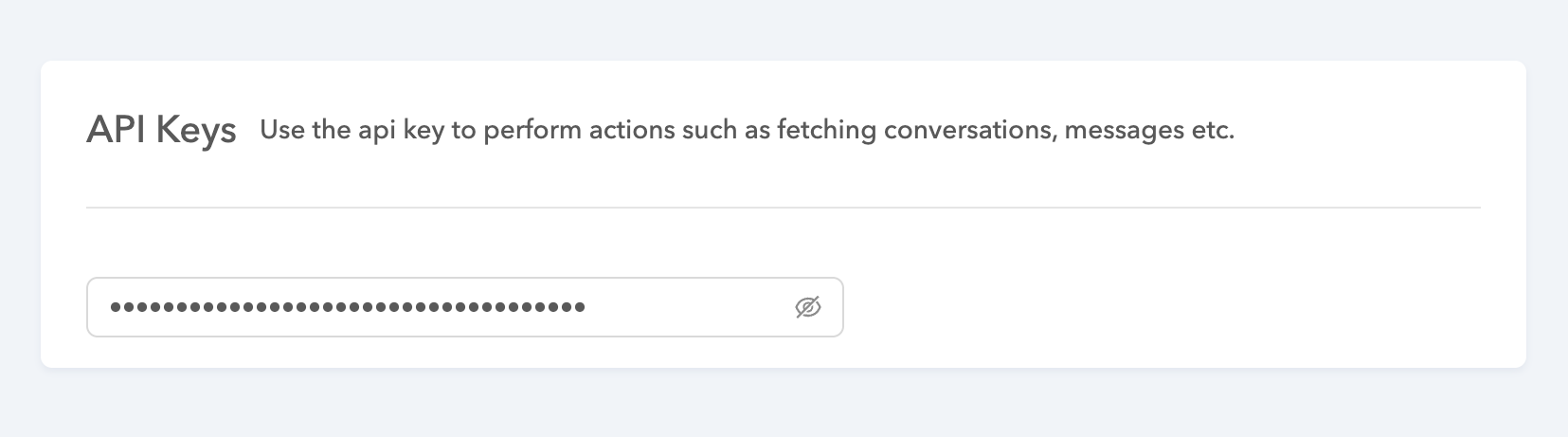 Retrieve the API key
Get conversations
Returns data about customer conversations handled by your AI agent.
GET /conversations/export/v1/conversationsQuery parameters
| Parameter | Type | Description |
|---|---|---|
| start_time | integer required | Start of the export window (Unix timestamp, in seconds). |
| end_time | integer required | End of the export window (Unix timestamp, in seconds). |
| bot_name | string required | The bot name or ID of the AI agent. |
| per_page | integer optional | Number of records to return. The maximum is 1000. |
| cursor | string optional | Used for pagination to fetch the next batch of results. |
Sample request
curl -X GET 'https://api.converseapps.com/conversations/export/v1/conversations?start_time=1696118400&end_time=1696550400&bot_name=r3-218210&per_page=1000' \
  -H 'x-api-key: <api_key>'
Pass the cursor value returned in the response until it is null to load the next page of results.
Response
{
    "data": [
        {
            "_id": "5c80416892d94e40a64cea7dc6406e25",
            "startTime": 1744750665,
            "locale": "en_us",
            "metadata": {
                "locale": "en_us",
                "browser_visitorType": "repeat",
                "browser_screenResolution": "1728x1117",
                "browser_localTime": 1744750695136,
                "draft": true,
                "question": "my camera is offline",
                "transcript": "User:\tmy camera is offline",
                "guideNodeCount": 5
            },
            "tags": [
                "guideInteraction"
            ],
            "userMessageCount": 6,
            "lastActionAt": "2025-04-15T20:58:15.384884"
        },
    ],
    "cursor": null
}| Field | Description |
|---|---|
| _id | Unique ID for the conversation. |
| startTime | The conversation's start time. |
| lastActionAt | Timestamp of the last update in the conversation. |
| locale | Locale of the conversation. |
| tags | Tags applied to the conversation. For example, resolved, informed. |
| metadata | Includes both system and custom metadata added during the conversation. |
Get messages
Returns message-level data from within conversations, including message type, sender, timestamps, and content.
GET /conversations/export/v1/messagesQuery parameters
| Parameter | Type | Description |
|---|---|---|
| start_time | integer required | Start of the export window (Unix timestamp, in seconds). |
| end_time | integer required | End of the export window (Unix timestamp, in seconds). |
| bot_name | string required | The bot name or ID of the AI agent. |
| per_page | integer optional | Number of records to return. The maximum is 1000. |
| cursor | string optional | Used for pagination to fetch the next batch of results. |
| conversation_id | string optional | Filter messages for a specific conversation. |
Sample request
curl -X GET 'https://api.converseapps.com/conversations/export/v1/messages?start_time=1696118400&end_time=1696550400&bot_name=r3-218210&per_page=1000' \
  -H 'x-api-key: <api_key>'
Pass the cursor value returned in the response until it is null to load the next page of results.
Response
{
  "data": [
    {
      "_id": "aee4189e0429449a9c8c3bba88bf140c",
      "time": 1744651778.652,
      "type": "Question",
      "outMsg": {
        "steps": [
          {
            "text": "Hello 👋 I am a virtual assistant. How can I help you?"
          }
        ]
      },
      "conversationId": "7eee0bbc78414f649a311c7ce4a87ead"
    },
    {
      "_id": "33f34335-bd8a-41a7-8ce1-73542fcc2b9c",
      "time": 1744651783,
      "type": "UserInput",
      "userInput": "Tell me about Comfort Headphones",
      "conversationId": "7eee0bbc78414f649a311c7ce4a87ead"
    },
    {
      "_id": "4514b1a468394c9f986ac8ffdad577ad",
      "time": 1744651793.839,
      "type": "Question",
      "outMsg": {
        "steps": [
          {
            "text": "Here are the details for Comfort Headphones:\n\n💲 Price: $89.99\n📦 In Stock: Yes"
          },
          {
            "text": "Did that answer your question?"
          }
        ],
        "options": [
          { "txt": "Yes" },
          { "txt": "No" }
        ]
      },
      "conversationId": "7eee0bbc78414f649a311c7ce4a87ead"
    }
  ],
  "cursor": null
}| Field | Description |
|---|---|
| _id | Unique ID of the message. |
| time | Timestamp when the message was sent. |
| conversationId | ID of the conversation this message belongs to. |
| type | Type of message. For example, UserInput, BotMessage. |
| outMsg | Content of the message from the AI agent. |
| userActionType | Type of user action. This is present only for UserInput messages. |
| userInput | Content of user input. For example, a message text, quick reply, or form submission. |
Last updated: