# AI gateway collection
An AI gateway collection exposes endpoints to LLMs, GPTs, or other AI applications. This setup enables AI agents to take actions on your behalf using secure, authorized requests. Refer to AI gateway for more information.
COLLECTION TYPES
Refer to Choose a collection type to compare proxy, recipe, and AI gateway collections.
# Prerequisites
Complete the following before you create an AI gateway collection:
- Create a project or select an existing project.
# Create an AI gateway collection
Complete the following steps to create an AI gateway collection:
Sign in to your Workato account.
Go to Platform > API platform > API collections.
Click + Create new collection.
Use the What type of collection would you like to create? drop-down menu to select AI gateway collection.
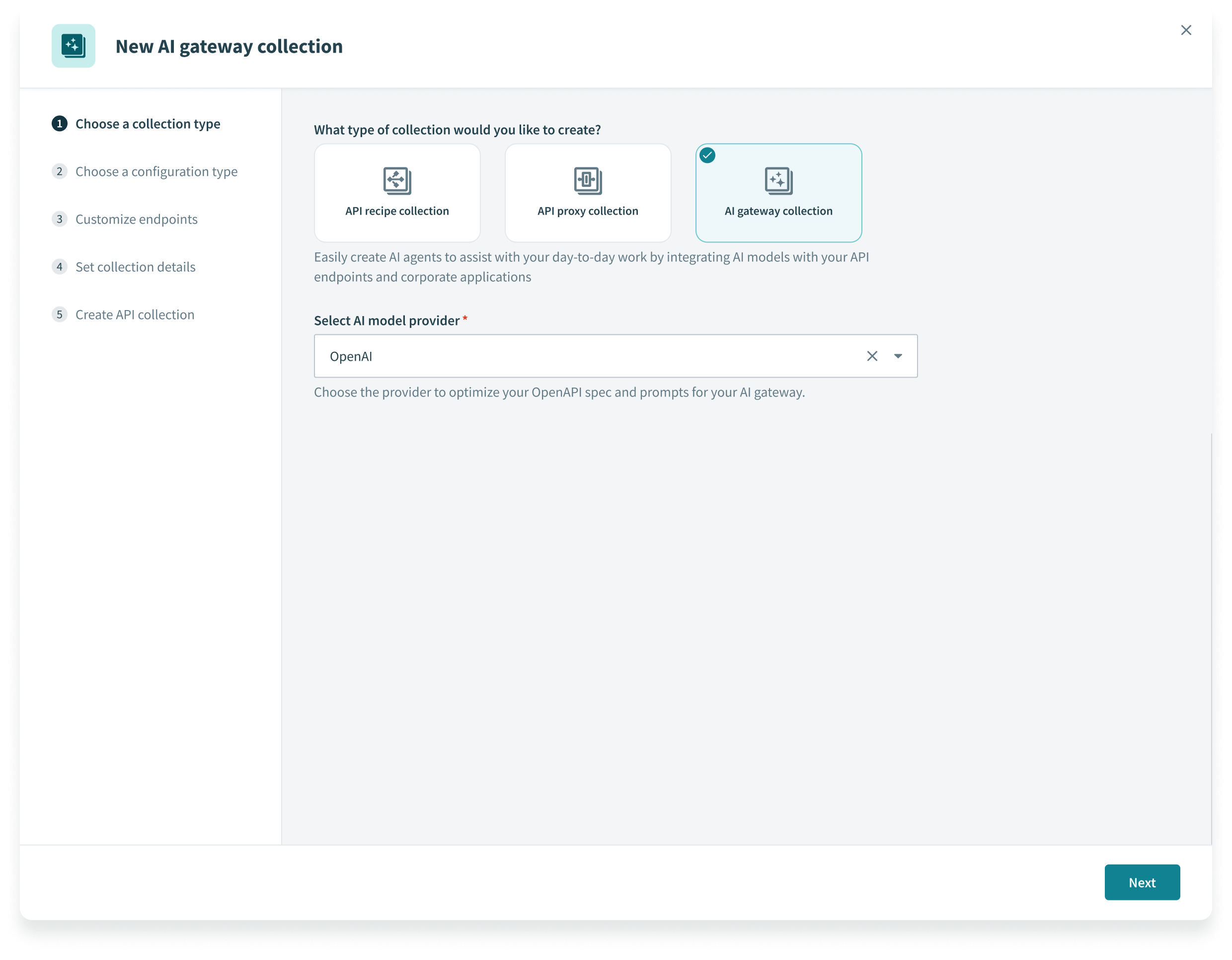 Select AI gateway collection
Use the Select AI model provider drop-down menu to select an AI provider. This setting optimizes your OpenAPI specification and prompt formats for the selected provider.
Use the Choose a configuration type drop-down menu to specify the configuration you plan to use for your recipe collection:
Use existing recipes: Select the Recipe folder from the drop-down menu. Workato maps each API recipe in this folder to a new endpoint.
Import OpenAPI Specification: Upload a JSON or YAML OpenAPI 3.0 (opens new window) specification file, or enter the URL of the specification.
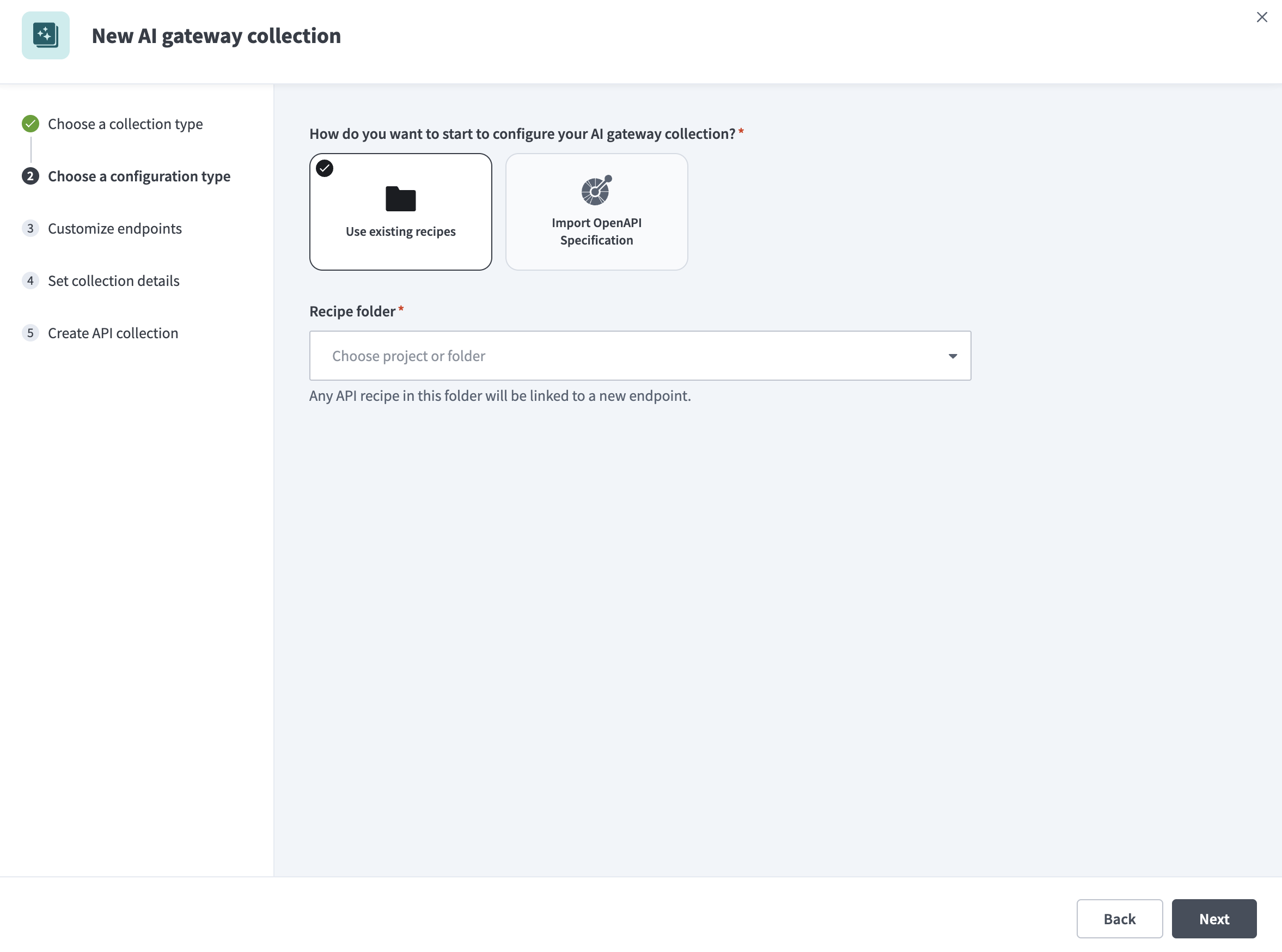 Choose your configuration type
Go to Customize endpoints and select the checkbox next to each endpoint you plan to add to the collection.
Optional. Select Edit details next to an endpoint to configure its settings:
Select the HTTP method to use for the endpoint.
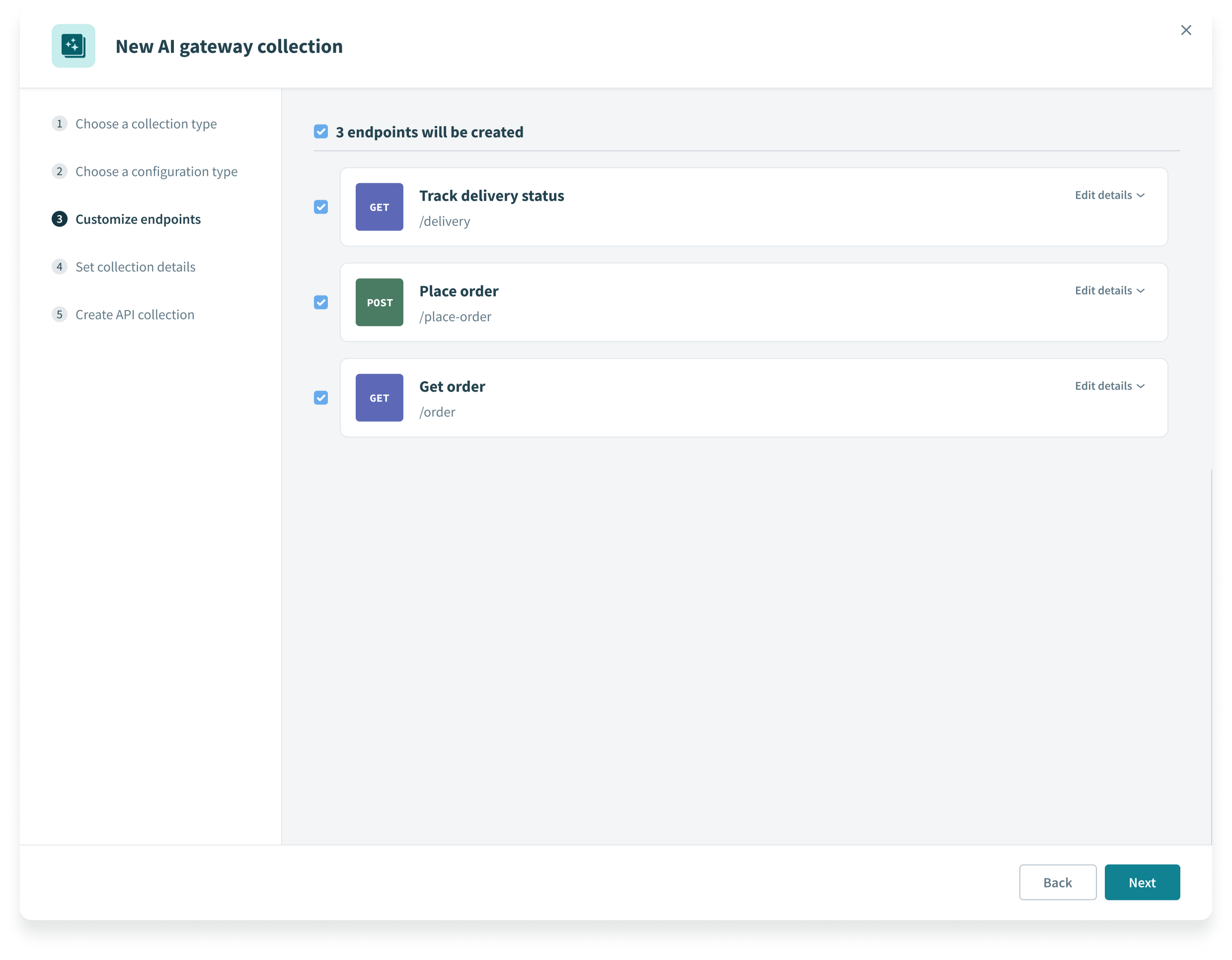 Customize AI gateway collection endpoints
Enter an Endpoint name.
Define a path for the endpoint in the Endpoint path field. This path is appended to both the AI and target base URLs. It can include path parameters. Ensure that you follow the endpoint path guidelines.
Enter an Endpoint description.
Required when you toggle Customize timeout. Customize the time that a request is given to complete in the Request timeout field. The default value is 30 seconds and the maximum value is 240 seconds.
Enable Schema validation to validate all requests made to this endpoint.
Enforce additional authorization logic using formulas using the Request authorization field.
Enable response caching to improve performance in the Cache response field.
Required when Cache response is enabled. Use seconds to specify how long to store a response in cache before it's refreshed or deleted in the Time-to-live period field. The maximum value is 3600 seconds.
Go to Set collection details and enter the following information:
Enter a Collection name for the AI gateway collection.
Enter a Version. Use a unique identifier between 1–10 characters. Workato treats collections with the same name but different versions as separate objects.
Optional. Enter a Description for the AI gateway collection.
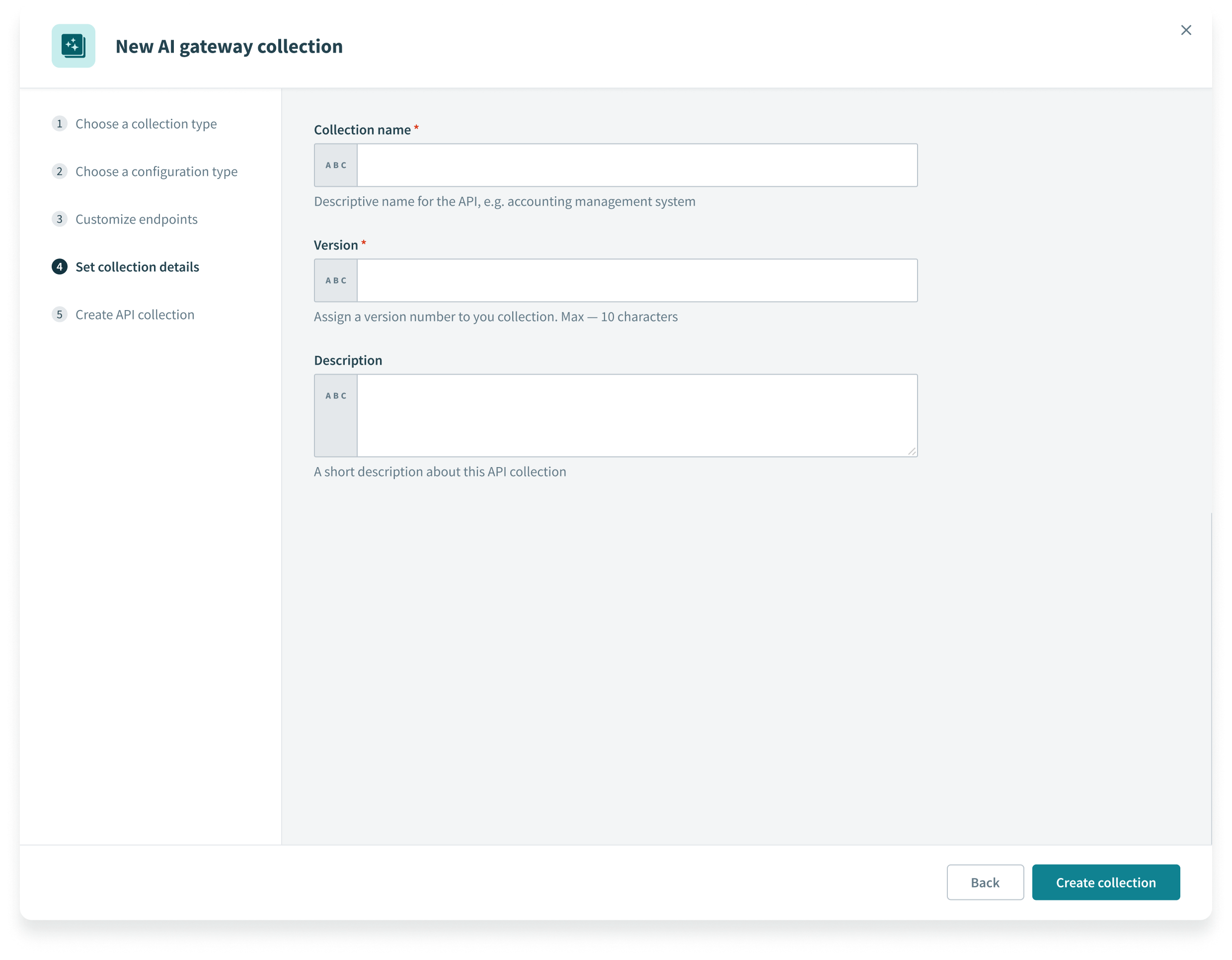 Set collection details
Click Create collection.
Select a Next steps link or click View API collection.
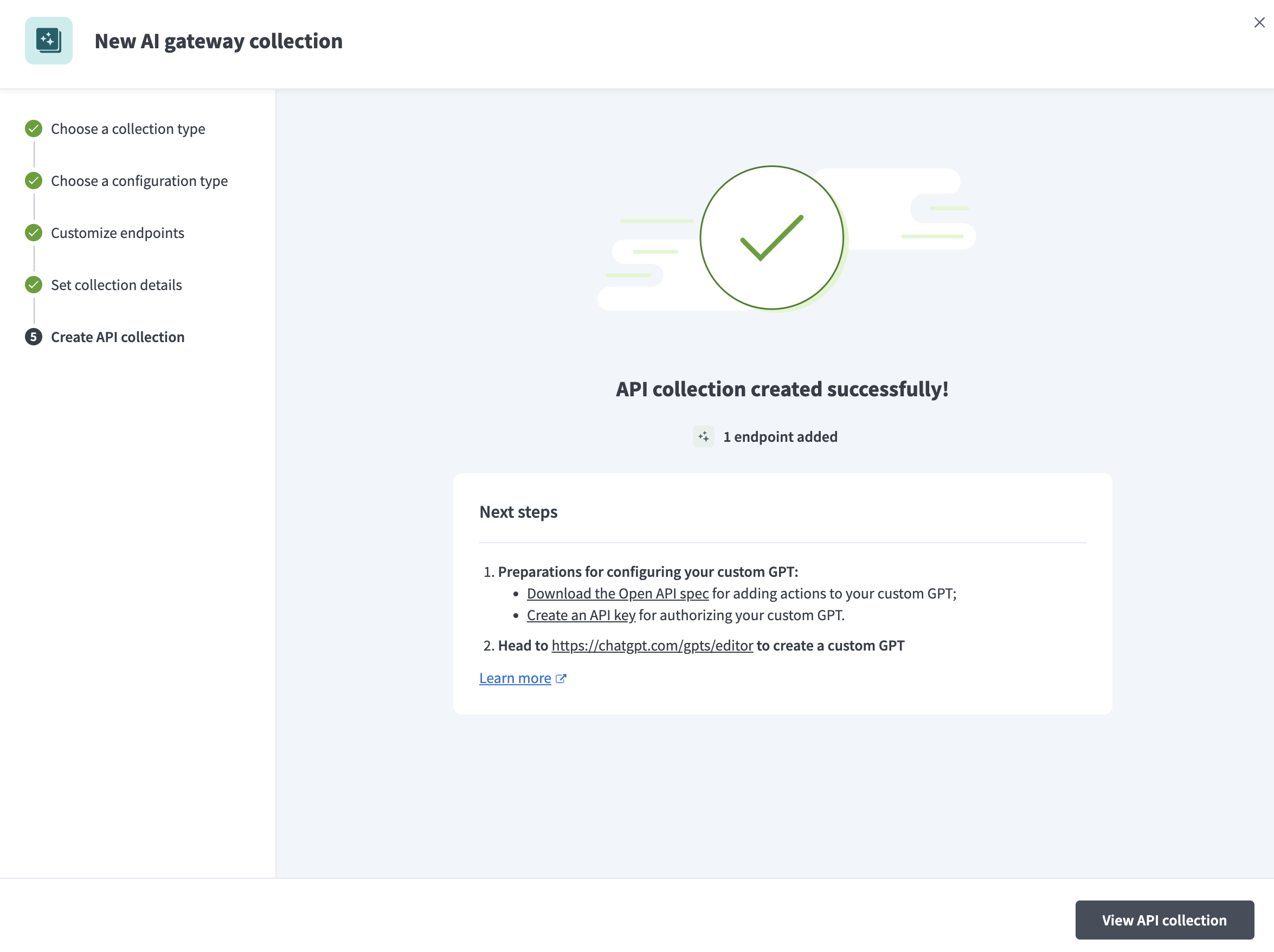 View API collection
Last updated: 2/10/2026, 9:26:06 PM