Google BigQuery - Scheduled query trigger
Scheduled query trigger
The Scheduled query trigger executes a query on a regular basis. The result of the query is batched into jobs of a user defined batch size. By default, Workato does not automatically attempt to deduce what columns are returned from your query due to the associated costs which may occur. Instead, we rely on you to define the expected output columns manually. This can be done easily using our schema wizard. Refer to BigQuery connection setup for more information.
In cases where you would like Workato to generate your output columns automatically, change the input field Automatic schema introspection to Yes. Take note that we fire a query in your Google BigQuery instance each time the input SQL statement is changed to attempt to derive the output columns. In cases where the query takes too long to return, the bytes processed are too high or the syntax is incorrect, you will have to define your output fields manually.
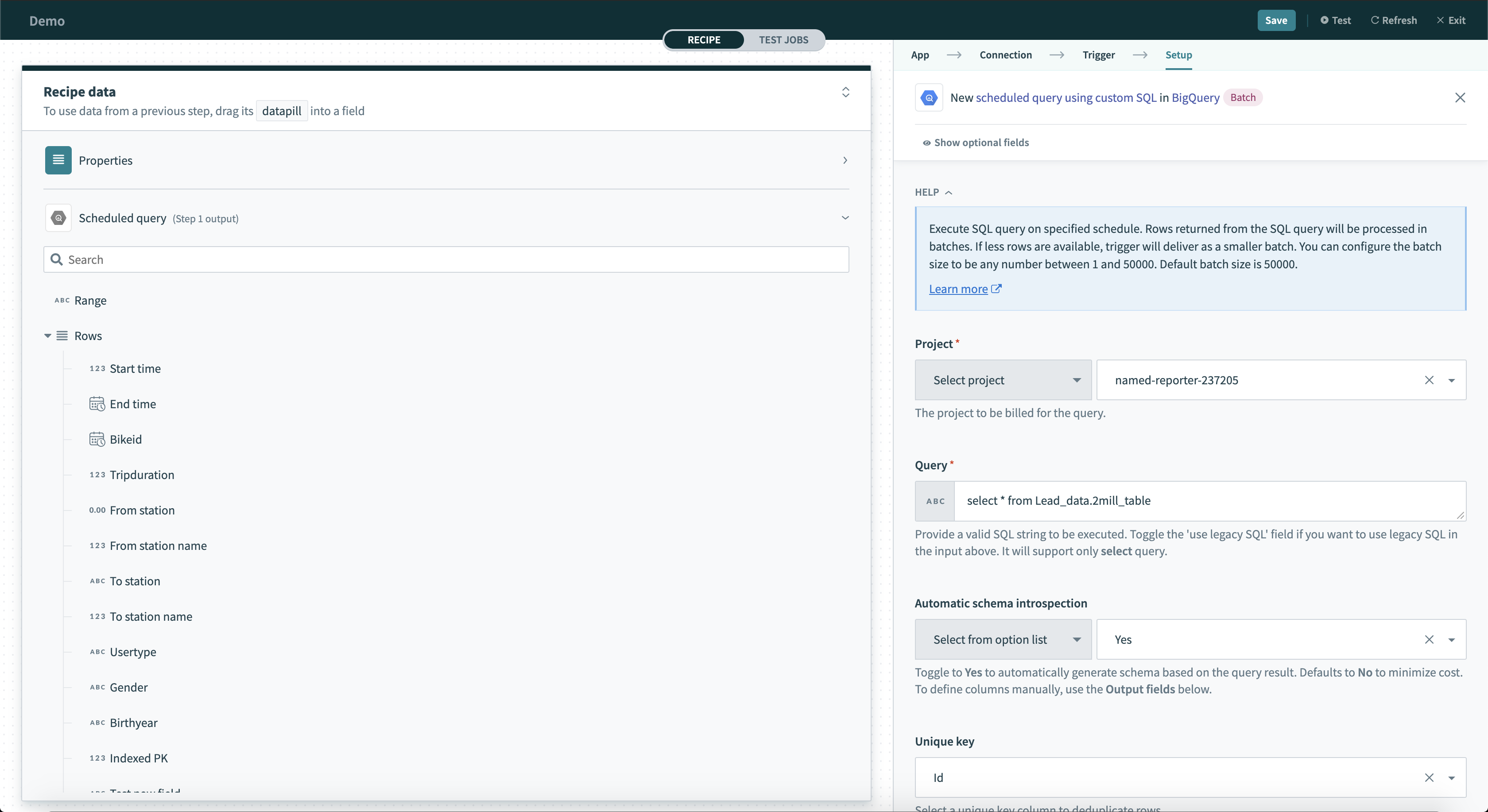 Scheduled query trigger
Input
| Input field | Description |
|---|---|
| Project | Select the project to bill for the query. |
| Query | Select the query to execute. If a limit clause is used, automatic schema introspection is not allowed. |
| Batch size | Select the number of rows in each job. Jobs may be processed faster when batch sizes are smaller. |
| Schedule settings | Set how often you want this query to run. The minimum period is 1 hour to give previous triggers sufficient time to batch and complete. |
| Automatic schema introspection | Defaults to No. If Yes, Workato automatically tries to introspect the output of your query. In cases where the query takes too long or if datapills are used, toggle this to No and define the output fields of your query manually. |
| Output fields | This input field appears when Automatic schema introspection is false. Use this to manually define the output fields of your query. The names given to the output should be identical to the column names expected. Find out how to define your output fields quickly and easily. |
| Unique key | Enter a unique key to deduplicate rows with. When we execute the scheduled query, we immediately order by this key. |
| Location | Select the geographical location of where the job should run. This field isn't required in most cases. |
| Legacy SQL | The default is assumed to be standard SQL. Select true to use legacy SQL instead. |
Output
| Output field | Description |
|---|---|
| Range | The range of rows defined by the Unique key. |
| Rows | An array of the rows. Each datapill in the row object corresponds to a single column. |
| First batch | True if this is the first batch of a schedule query trigger. |
| Last batch | True if this is the last batch of a schedule query trigger. |
| Starting offset | The offset from the first row of the query for the first record in this batch. |
| Ending offset | The offset from the first row of the query for the last record in this batch. |
Last updated: