Google Sheets - Add rows in bulk action
This action adds multiple rows at the bottom of a selected sheet in Google Sheets.
Input
| Input field | Description |
|---|---|
| Google Drive | Select either your personal drive or a team drive. Your personal drive is selected by default. |
| Spreadsheet | Choose the spreadsheet where to add new rows. |
| Enforce top-left insert | Choose to insert the new row into the leftmost logical table if multiple tables exist on the same sheet. The default is set to No. |
| Sheet | Specify the sheet where to add new rows. The sheet must contain at least one header row. |
| Rows source list | Provide a list datapill. For example, a list of rows in a CSV file. The action automatically iterates through all list items and creates multiple Google Sheet rows. |
| Rows fields | This section displays all the columns in the Google Sheet. Map the datapills under the list datapill (for example, CSV column names under the CSV Rows list datapill). The action iterates through all items in the list and creates multiple Google Sheet rows automatically. |
Output
| Output field | Description |
|---|---|
| Spreadsheet ID | ID of the spreadsheet. |
| Sheet name | Name of the sheet. |
| All rows successfully added? | Indicates whether this batch successfully added all rows. |
| Number of rows added | Number of rows in this batch that are successfully added. |
| Number of rows failed | Number of rows in this batch that failed to be added. |
| CSV contents of failed rows | Stores the contents of all failed rows. |
| List of batches | This action adds rows in small batches to optimize performance. This datapill lists all batches, which you can iterate through. |
How to configure this action
Complete the following steps to configure this action:
1
Select the Google Drive, Spreadsheet, and Sheet to which you plan to add rows.
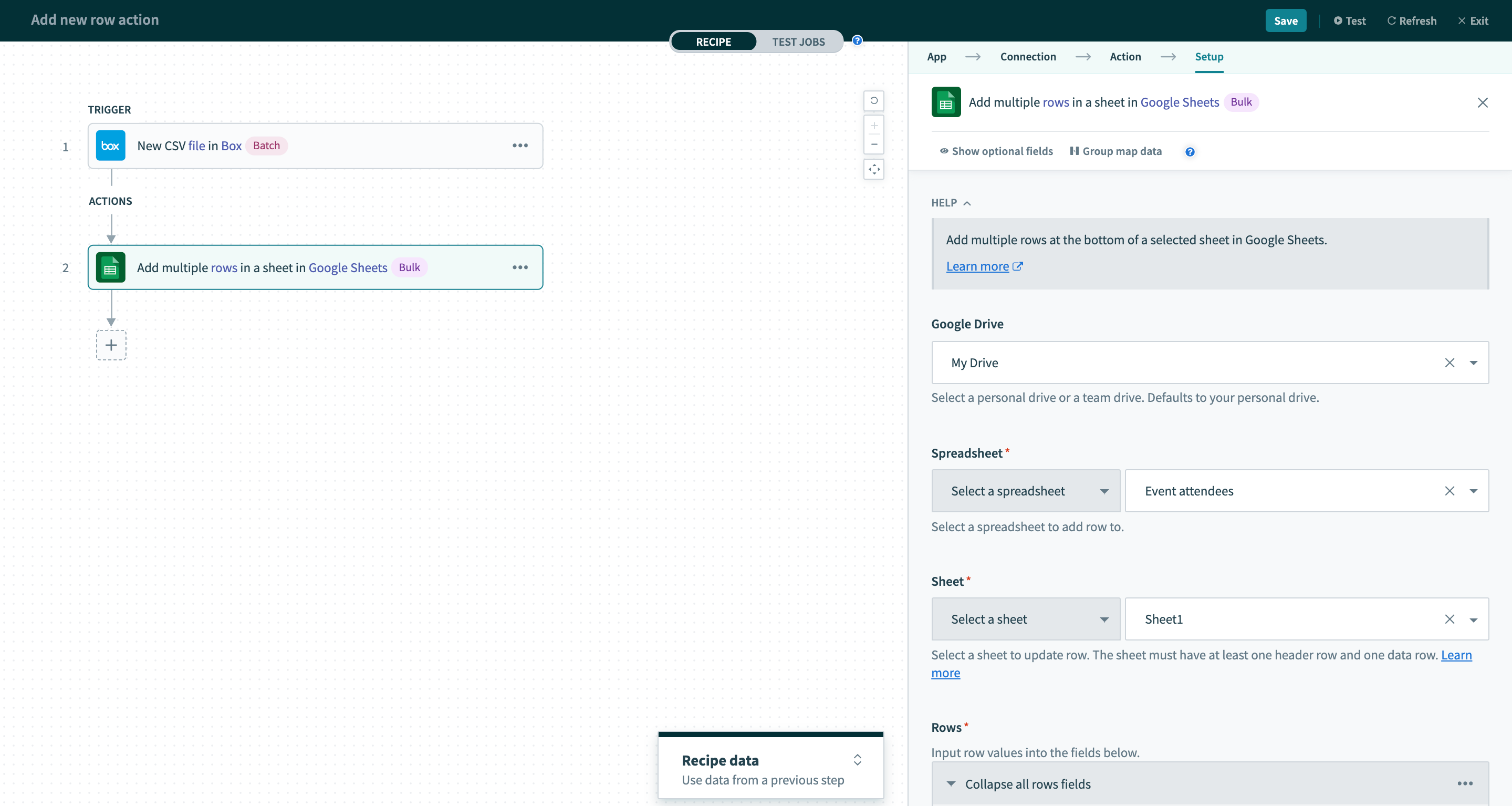 Select the Google Drive, Spreadsheet, and Sheet that you plan to add rows into
2
Fields corresponding to the sheet columns appear. Configure the mappings to create multiple rows in the sheet.
In this example, we map the CSV columns from the Box New CSV file in folder trigger into the Google Sheet columns. The action then iterates through the rows from the Box CSV file and adds them to the Google Sheet.
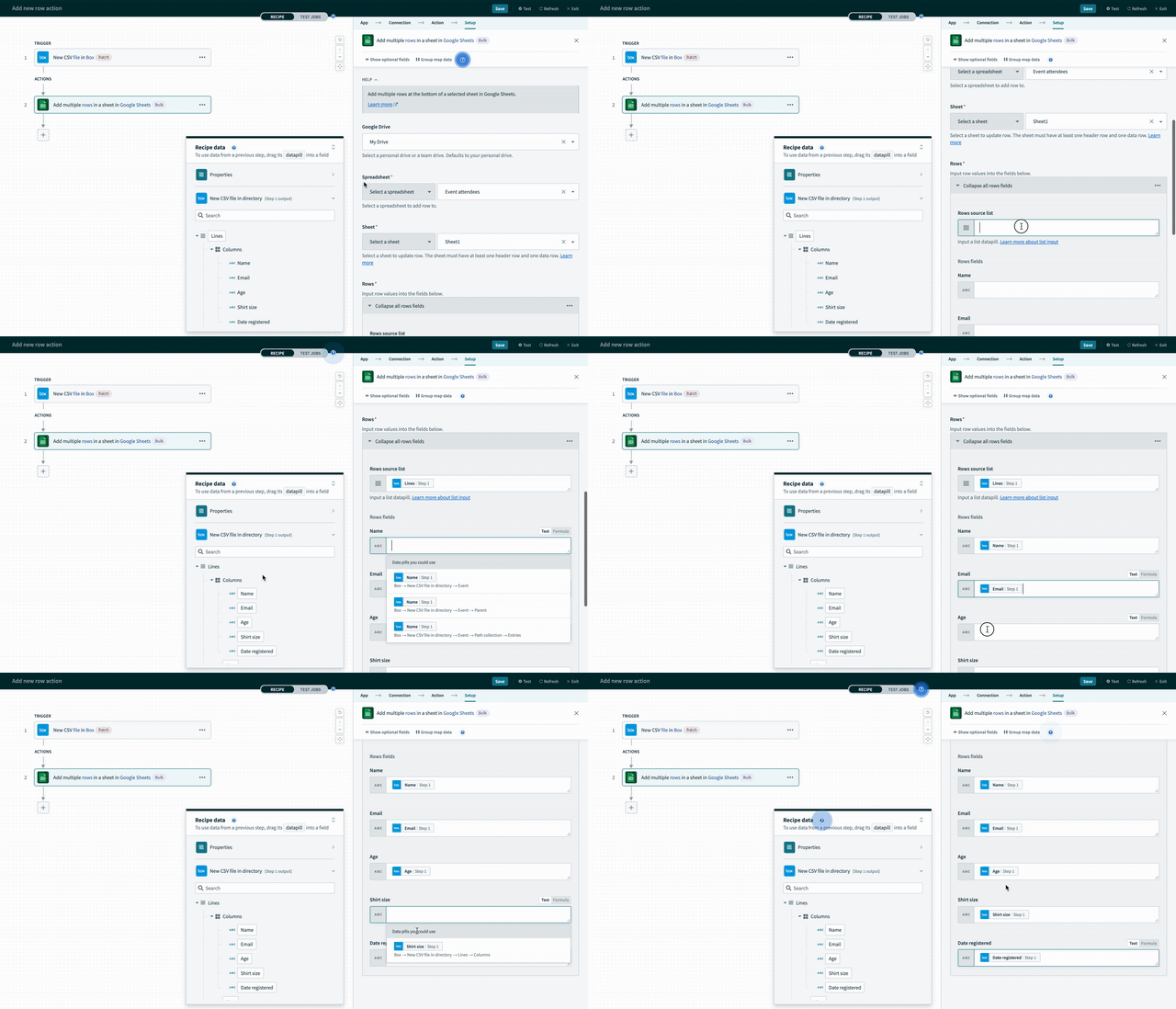 Configure the mappings to create multiple rows in the sheet
Last updated: