Google Sheets - Get rows action
This action allows you to retrieve rows from a Google Sheets spreadsheet, returning the first 10,000 rows by default. To return a different number of rows, specify the range in the Range field.
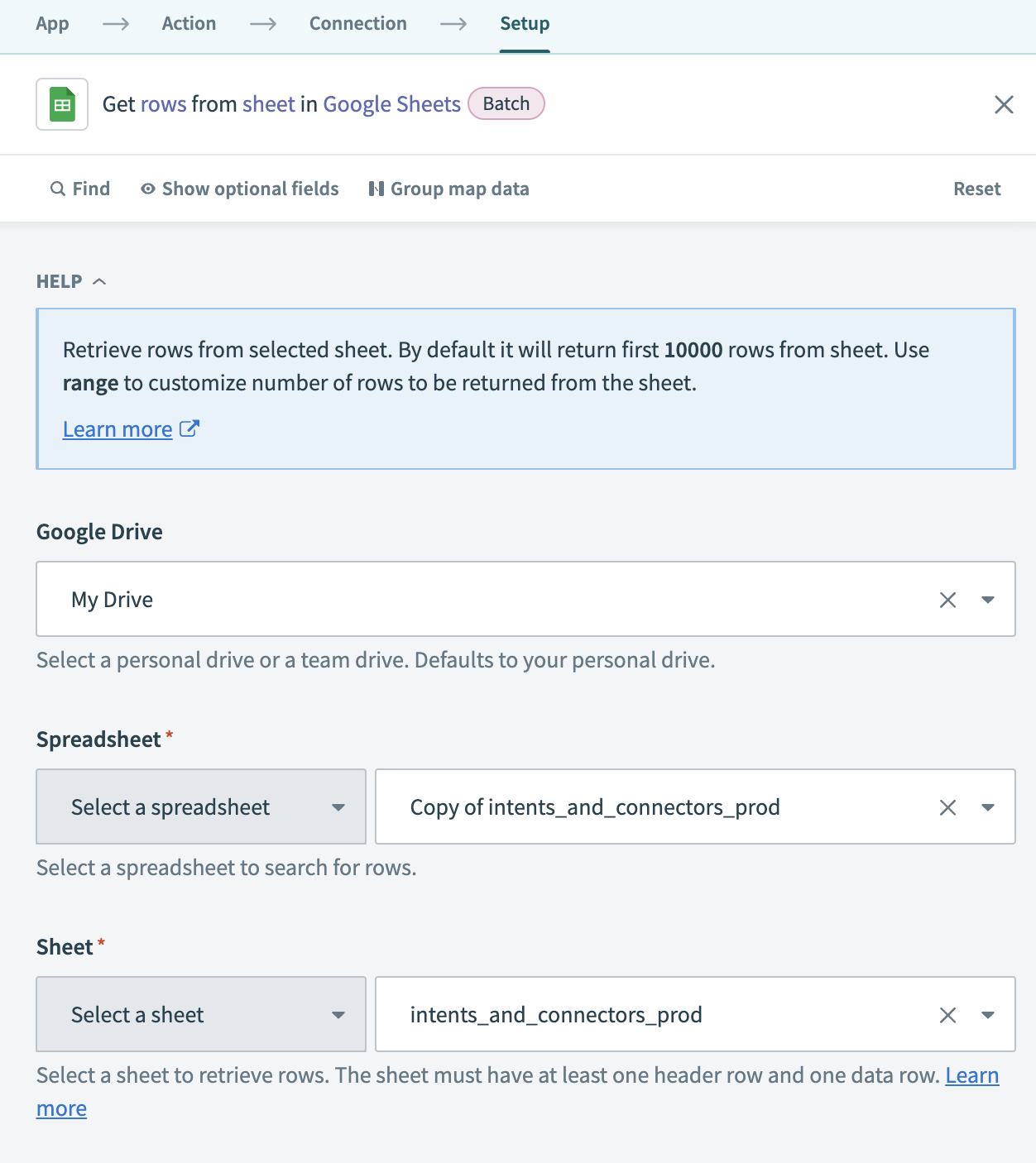 Get rows action
Input
| Input field | Description |
|---|---|
| Google Drive | Choose the Google Drive account containing the spreadsheet from which you plan to retrieve rows. This field defaults to your personal drive. |
| Spreadsheet | Select the spreadsheet that contains the sheet you plan to use. |
| Sheet | Select the specific sheet within the spreadsheet from which you plan to retrieve rows. Ensure the sheet has at least one header row and one data row. |
| Range | Specify the rows you plan to retrieve. Ensure you use the correct format: Start row:End row. For example: 2:2000 retrieves rows 2 to 2,000. Note that the range starts from the second row because the first row is the header row. |
Output
| Output field | Description |
|---|---|
| Spreadsheet ID | The unique identifier for the spreadsheet. |
| Spreadsheet name | The name of the spreadsheet. |
| Sheet name | The name of the sheet from which rows are retrieved. |
| Rows | The rows retrieved from the sheet. |
Last updated: