Zendesk - Create organization action
This action creates a single organization in your Zendesk instance.
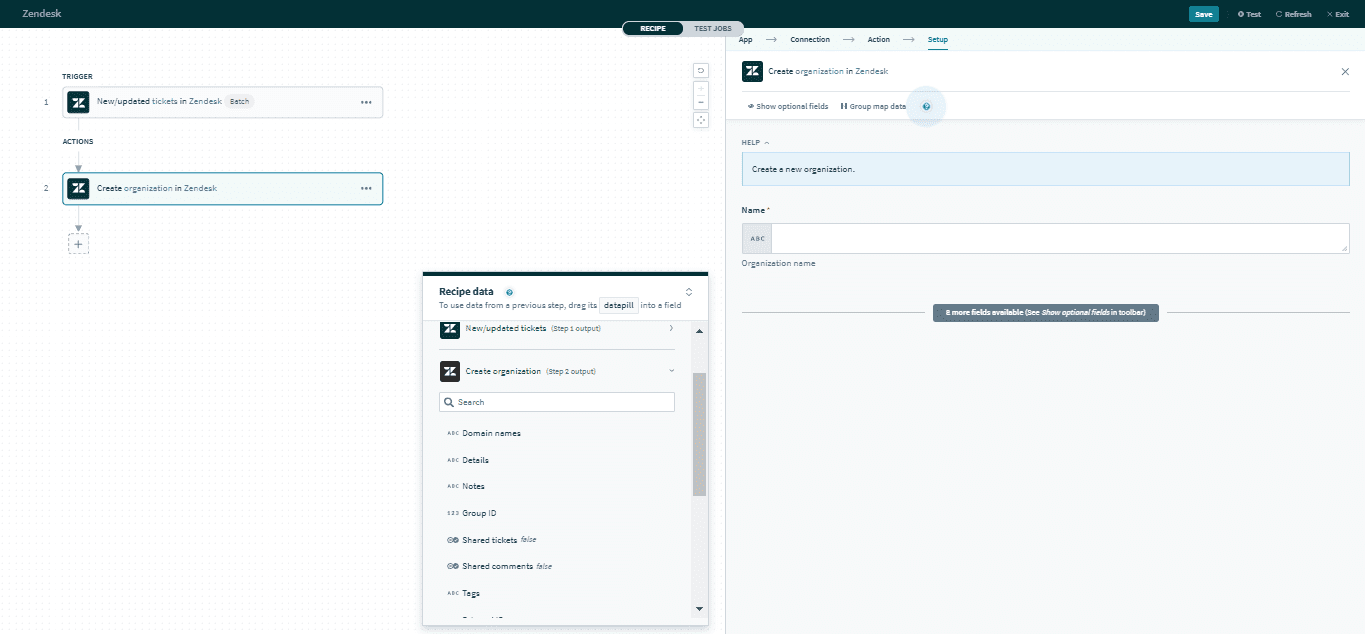 Create organization action
Input
| Input field | Description |
|---|---|
| Name | The name of the organization. |
| External ID | A unique identifier from another system. |
| Domain name | The domain name associated with this organization. |
| Details | Details about the organization. |
| Notes | Notes about the organization. |
| Group ID | The unique Zendesk ID of the group of this organization. |
| Shared tickets | Select Yes if the end-users in this organization are able to see each other's tickets, otherwise select No. |
| Shared comments | Select Yes if the end-users in this organization are able to see each other's comments on tickets, otherwise select No. |
| Tags | The tags applied to this organization. You can add multiple tags with the , separator. |
| Organization custom fields | Provide data for organization custom fields. |
Click here for a full list of organization inputs.
Output
The output of this trigger contains the full set of columns from the selected organization. Here are some commonly used outputs.
| Output field | Description |
|---|---|
| ID | The unique Zendesk ID of the organization. This is automatically assigned when the organization is created. |
| Group ID | The unique Zendesk ID of the group of this organization. |
| Organization custom fields | Includes data of organization custom fields. |
Click here for a full list of organization outputs.
Last updated: