Zendesk - Create user action
This action creates a single user in your Zendesk instance.
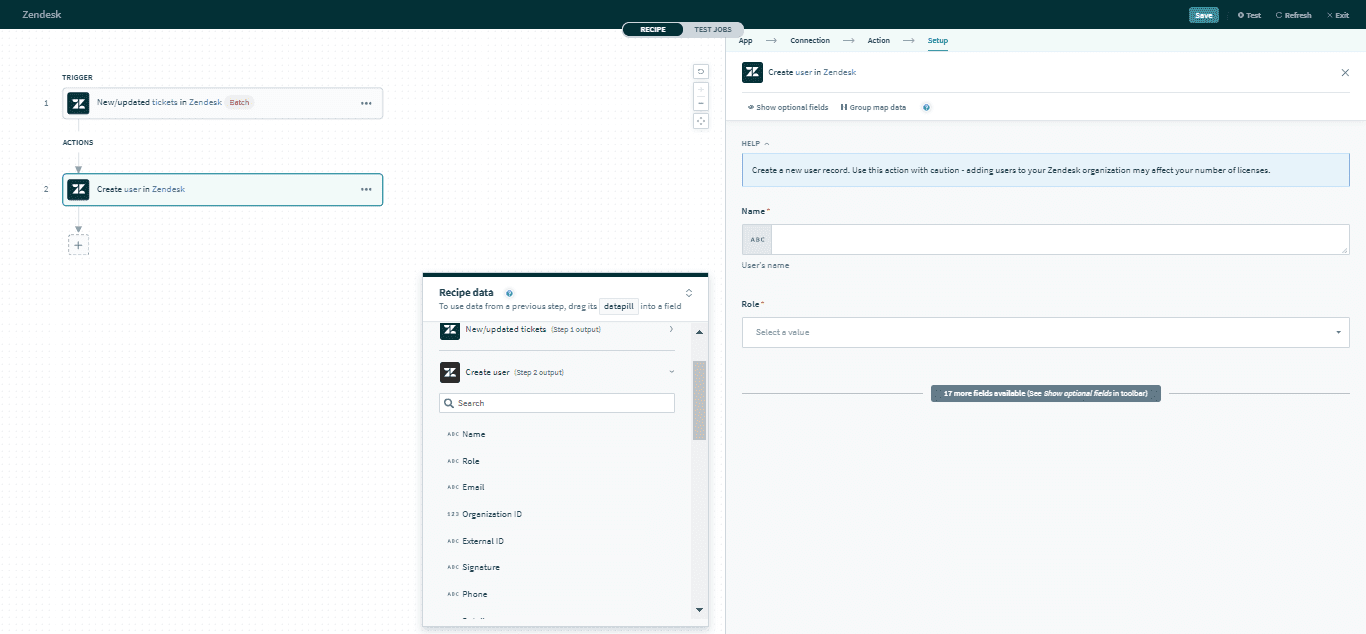 Create user action
Input
Here are some commonly used inputs.
| Input field | Description |
|---|---|
| Name | The name of the user. |
| Role | The role of the user. Permitted values are End-user, Agent, or Administrator. |
Mandatory if the user's role is designated as Agent. The primary email of the user. | |
| User custom fields | Provide data for user custom fields. |
Click here for a full list of user inputs.
Output
The output of this action contains the full set of columns from the selected user. Here are some commonly used outputs.
| Output field | Description |
|---|---|
| ID | The unique Zendesk ID of the user. This is automatically assigned when the user is created. |
| Role | The role of the user. Permitted values are End-user, Agent, or Administrator. |
| The primary email of the user. | |
| Organization ID | The unique Zendesk ID of the user's organization. If the user has more than one organization membership, it will display the user's default organization. |
| User custom fields | Includes data of user custom fields. |
Click here for a full list of user outputs.
Last updated: