Zendesk - New/updated ticket trigger
This trigger picks up tickets that are created or updated. Each ticket is processed as a separate job. It checks once every poll interval.
Role privileges
You need a Zendesk account with the Administrator role to use this trigger in your recipe.
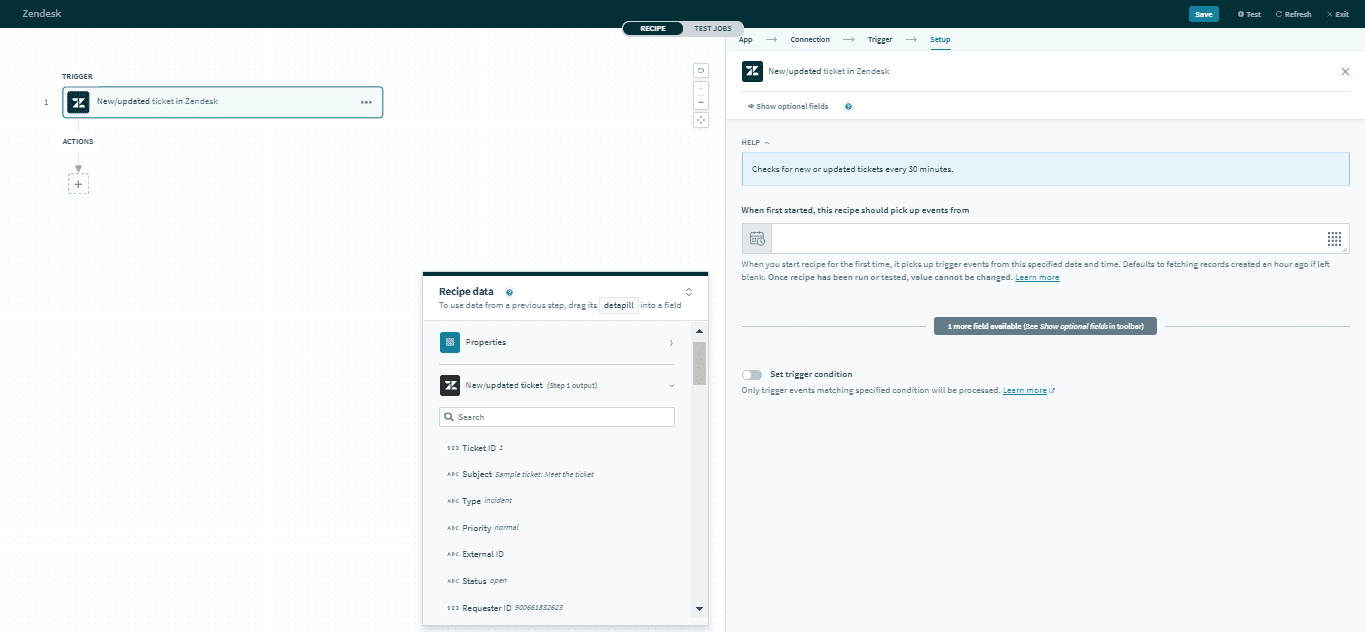 New ticket trigger
Input
| Input field | Description |
|---|---|
| When first started, this recipe should pick up events from | Tickets created or updated after this time will be processed by the recipe. If left blank, the default will be set to one hour before the recipe is first started. Refer to Triggers to learn more about this input field. |
Output
The output of this action contains the full set of columns from the selected ticket. Here are some commonly used outputs.
| Output field | Description |
|---|---|
| Ticket ID | The unique Zendesk ID of the ticket. This is automatically assigned when the ticket is created. |
| Subject | The subject of the ticket. |
| Type | The type of ticket. Permitted values are problem, incident, question, or task. |
| Priority | The priority of the ticket. Permitted values are urgent, high, normal, or low. |
| Ticket custom fields | Includes data of ticket custom fields. |
Click here for a full list of ticket outputs.
Last updated: