Zendesk - New/updated ticket trigger (real time)
This trigger picks up tickets as soon they are created or updated. Each ticket is processed as a separate job.
This trigger picks up tickets in real time. If you want to process tickets from a designated time, you can use the polling trigger.
Role privileges
You need a Zendesk account with the Administrator role to use this trigger in your recipe.
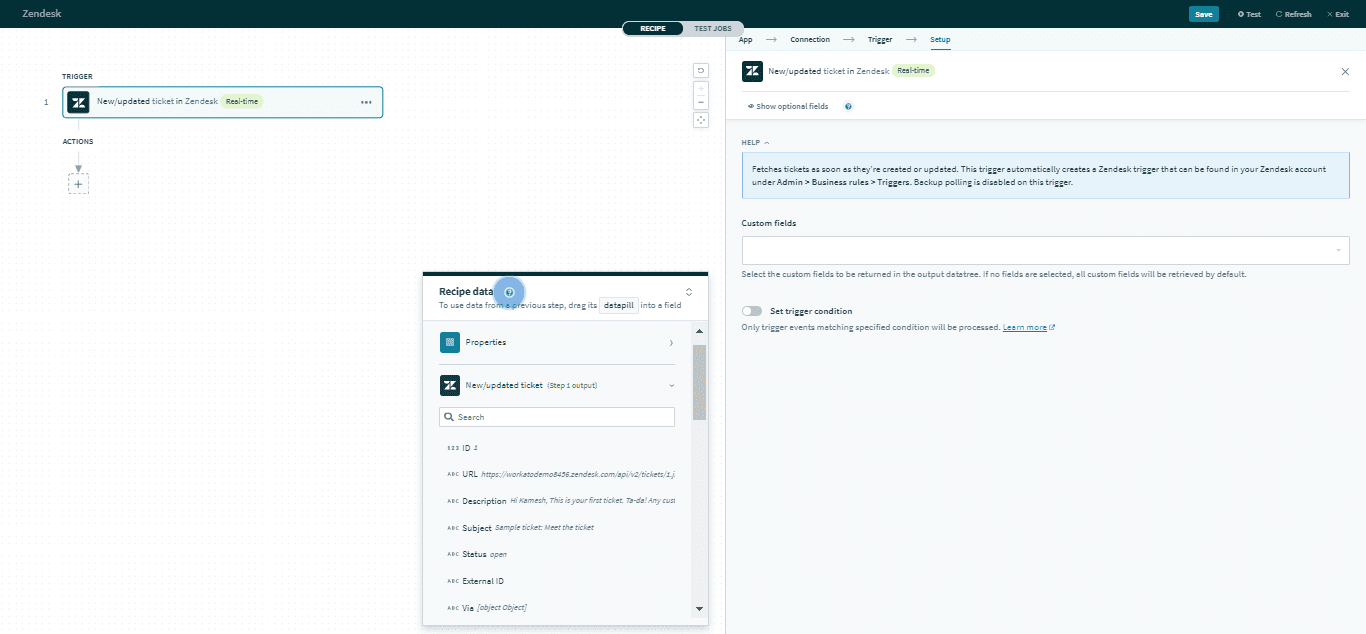 New/updated ticket trigger
Input
There are no input fields for this trigger.
AUTOMATIC TRIGGER CREATION IN ZENDESK
This Workato trigger automatically creates a Zendesk trigger. You can find the trigger in your Zendesk account under Admin > Business rules > Triggers.
Output
The output of this action contains the full set of columns from the selected ticket. Here are some commonly used outputs.
| Output field | Description |
|---|---|
| Ticket ID | The unique Zendesk ID of the ticket. This is automatically assigned when the ticket is created. |
| Subject | The subject of the ticket. |
| Type | The type of ticket. Permitted values are problem, incident, question, or task. |
| Priority | The priority of the ticket. Permitted values are urgent, high, normal, or low. |
| Ticket custom fields | Includes data of ticket custom fields. |
Click here for a full list of ticket outputs.
Last updated: