Zendesk - Organization fields
Zendesk organization contains various fields that add information about the organization. Some fields are required inputs by the creator (for example, Name), while some fields are outputs generated by the system (for example, Organization ID).
Organization input fields
To register a new organization in your Zendesk instance, you are required to fill up certain information. This includes identifying information like "name" and permission controls.
Organization default input fields
Zendesk's out-of-the-box organization fields gather basic information. At default, only "name" is configured as mandatory.
| Input field | Description |
|---|---|
| Name | The name of the organization. |
| External ID | A unique identifier from another system. |
| Domain name | The domain name associated with this organization. |
| Details | Details about the organization. |
| Notes | Notes about the organization. |
| Group ID | The unique Zendesk ID of the group of this organization. |
| Shared tickets | Select Yes if the end-users in this organization are able to see each other's tickets, otherwise select No. |
| Shared comments | Select Yes if the end-users in this organization are able to see each other's comments on tickets, otherwise select No. |
| Tags | The tags applied to this organization. You can add multiple tags with the , separator. |
Organization custom input fields
Aside from the preconfigured fields, Zendesk allows you to customize organization fields to suit your business use-cases.
To view this list of organization custom fields, go to settings > under Manage > Organization Fields.
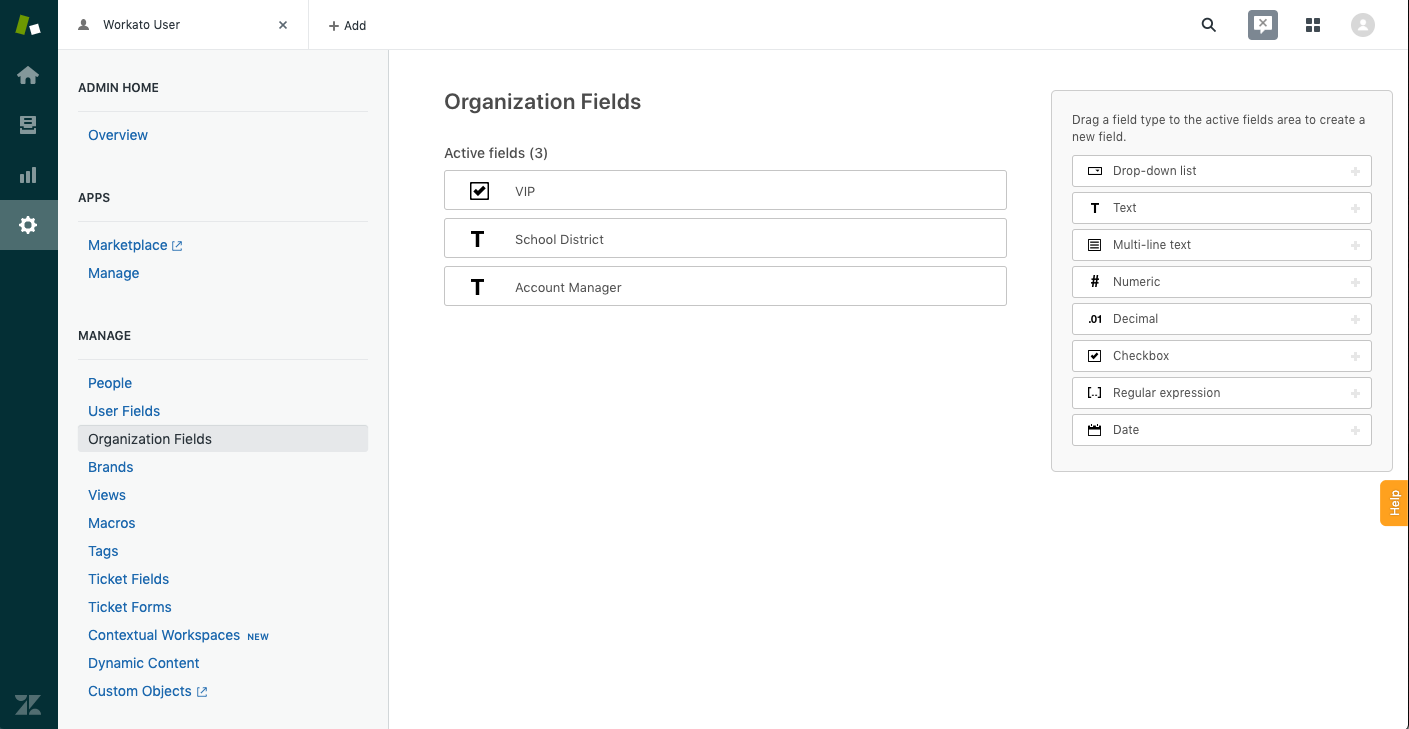 Organization custom fields
Below is an example of organization custom fields.
| Organization custom field | Field type | Mandatory |
|---|---|---|
| Account manager | Drop-down (list) | Yes |
| School district | Text (string) | No |
| Key client | Checkbox (boolean) | Yes |
Organization output fields
Some organization fields are manual inputs (for example, Name), while others are generated by the system (for example, Organization ID).
Organization default output fields
Depending on the field configuration, some fields might have null or default values.
| Output field | Description |
|---|---|
| Domain names | The domain names associated with this organization. |
| Details | Details about the organization. |
| Notes | Notes about the organization. |
| External ID | A unique identifier from another system. |
| Group ID | The unique Zendesk ID of the group of this organization. |
| Shared tickets | Select Yes if the end-users in this organization are able to see each other's tickets, otherwise select No. |
| Shared comments | Select Yes if the end-users in this organization are able to see each other's comments on tickets, otherwise select No. |
| Tags | The tags applied to this organization. Y |
| Tags list | A predefined list of tags that can be applied to this organization. |
| Name | The name of the organization. |
| ID | The unique Zendesk ID of the organization. This is automatically assigned when the organization is created. |
| URL | The API URL of the organization. |
| Date created | The time the organization was created. |
| Date updated | The time the organization was last updated. |
| Date deleted | The time the organization was deleted. |
Organization custom output fields
If you have configured custom fields, you can retrieve the corresponding output. Below is an example of organization custom output fields.
| Organization custom field | Field type | Output |
|---|---|---|
| Account manager | Drop-down (list) | Sophia Midas |
| School district | Text (string) | Plumas unified school district |
| Key client | Checkbox (boolean) | Yes |
Last updated: