Xero - Create invoice with multiple line items action
The Create invoice with multiple line items action allows you to create an invoice in Xero with multiple line items. This action is typically used with the Upsert line item to bill or invoice action to add additional lines to the invoice.
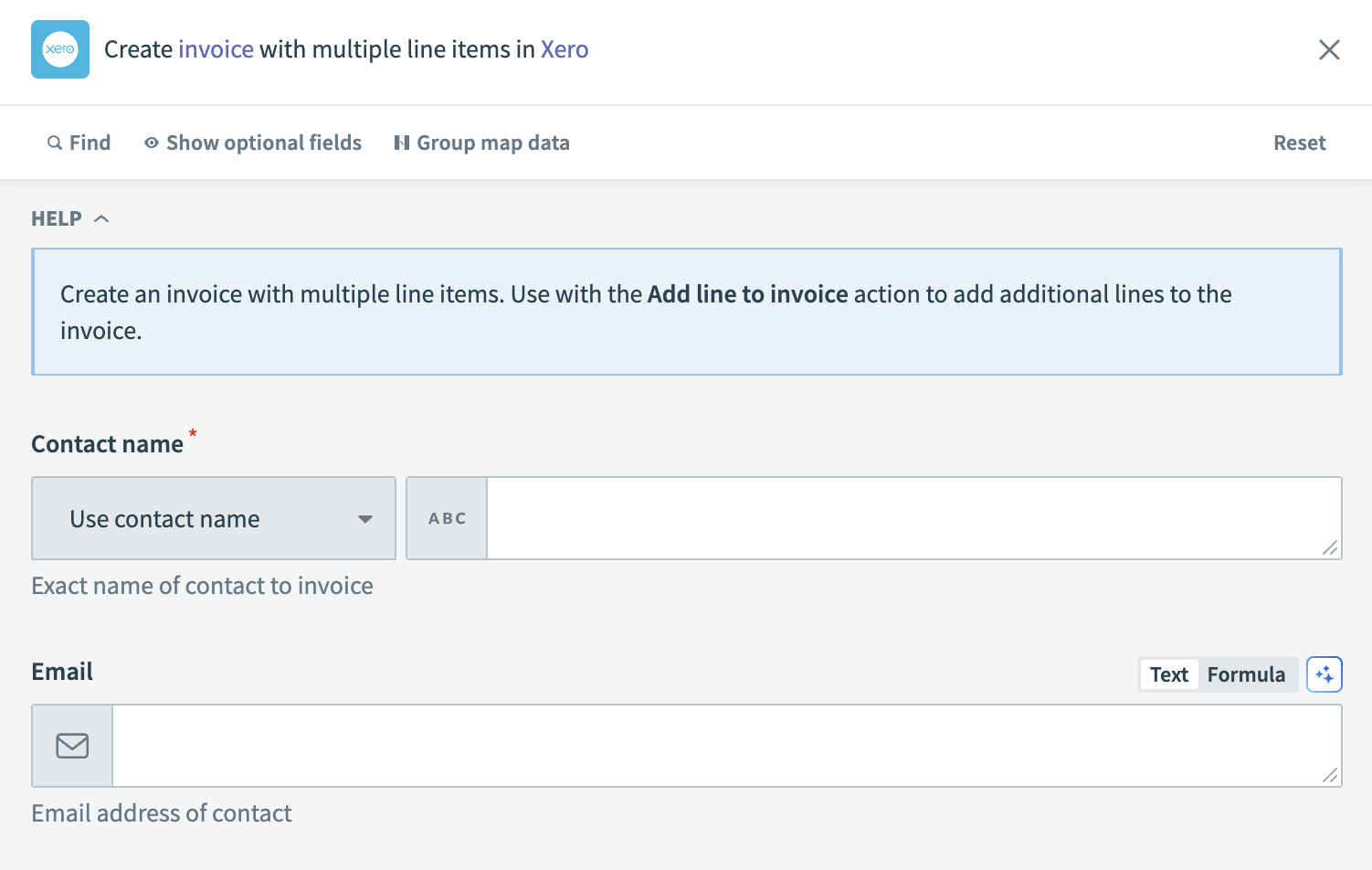 Xero - Create invoice with multiple line items action
Input
| Input field | Description |
|---|---|
| Reference | Provide an additional reference for the invoice. |
| Contact name | Enter the exact name of the contact you plan to invoice. |
| First name | Specify the contact's first name. |
| Last name | Specify the contact's last name. |
| Provide the contact's email address. | |
| Invoice number | Enter a unique invoice number. Xero automatically generates this field if left blank. |
| Date | Set the issue date for the invoice. |
| Due date | Define the due date for the invoice. This field is required if the invoice status is set to AUTHORISED or SUBMITTED. |
| Currency code | Enter the currency code for the invoice amounts. |
| Status | Select the initial status of the invoice. This field defaults to DRAFT if left blank. |
| Branding theme | Choose a branding theme to apply to the invoice. |
| Amounts are | Indicate whether the amounts are tax inclusive, exclusive, or no tax. This field defaults to Tax exclusive if left blank. |
| URL | Include a link to an external document related to the invoice. |
| Line items | Details of the line items for the invoice. |
| Line items source list | Input a list datapill representing the line items for the invoice. Learn more about list input. |
| Description (line items) | Enter a description for the line items. Ensure it is at least one character and a maximum of four thousand characters. |
| Item name (line items) | Specify the name of the line items. Click Products and services to retrieve the item name. If you provide both the item name and code, the item code takes precedence. |
| Quantity (line items) | Enter the quantity of the line items. Provide at least two fields out of Quantity, Unit price or Line amount. |
| Unit price (line items) | Set the unit price for the line items. Provide at least two fields out of Quantity, Unit price or Line amount. |
| Line amount (line items) | Enter the total amount for the line items. Provide at least two fields out of Quantity, Unit price or Line amount. |
| Discount rate (line items) | Apply a discount rate to the line items if applicable. |
| Account code (line items) | Assign an account code from your Chart of accounts to the line items. |
| Tax type name (line items) | Specify the tax type. Click Settings > General settings > Tax rates to find the tax type name. |
| Tax amount (line items) | Enter the tax amount for the line items. This field is auto-calculated as a percentage of the line amount based on the tax rate. |
| Skip (line items) | Use this field to omit a particular line in the invoice. |
| Item code (line items) | Provide the item code. Click Products and services to retrieve the item code. If you provide both the item name and code, the item code takes precedence. |
Output
| Output field | Description |
|---|---|
| Type | The type of the document (invoice). |
| Invoice ID | The unique identifier for the invoice. |
| Invoice number | The number of the invoice. |
| Payments | Details of payments associated with the invoice. |
| Credit notes | Details of credit notes applied to the invoice. |
| Amount due | The total amount due on the invoice. |
| Amount paid | The total amount paid on the invoice. |
| Amount credited | The total amount credited to the invoice. |
| URL | The link to the invoice or associated online resource. |
| Currency code | The currency code for the invoice. |
| Currency rate | The exchange rate for the currency used. |
| Has errors | Indicates if there are errors related to the invoice. |
| Is discounted | Indicates if a discount has been applied to the invoice. |
| Has attachments | Indicates if there are attachments included with the invoice. |
| Contact | Contact information for the invoice. |
| Date | The issue date of the invoice. |
| Due date | The due date for payment of the invoice. |
| Status | The current status of the invoice. |
| Branding theme ID | The identifier for the branding theme used in the invoice. |
| Line amount types | The type of line amounts on the invoice. |
| Line items | Detailed information about each line item on the invoice. |
| Sub total | The subtotal amount of the invoice before tax. |
| Total tax | The total tax amount for the invoice. |
| Total | The total amount for the invoice, including tax. |
| Updated date | The date when the invoice details were last updated. |
| Paid date | The date when the invoice was paid, if applicable. |
| Reference | A reference number or note associated with the invoice. |
Last updated: